Find the best computers for DinoBones: Tidy Up the Museum

Best PCs for DinoBones: Tidy Up the Museum

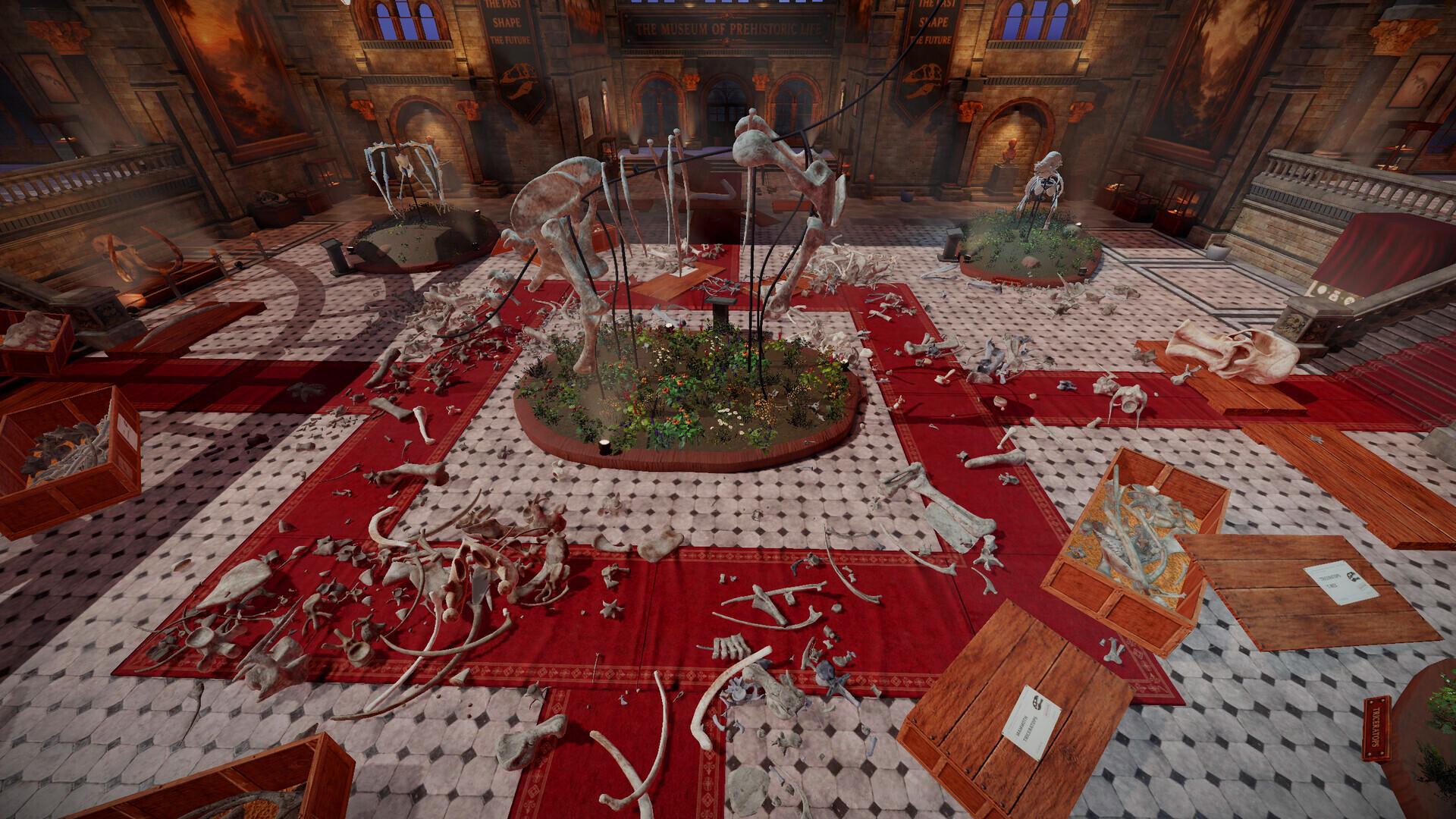
DinoBones: Tidy Up the Museum is an indie simulation game created and published by Indie Souls Studio in September 25, 2026. DinoBones: Tidy Up the Museum. is a cozy skeleton restoration sim. Identify, collect, and piece together around 2,000 scattered dinosaur bones. Feel chaos turn into order, and with every skeleton you rebuild, the museum reveals another secret.

Computer Requirements for DinoBones: Tidy Up the Museum

The system requirements are tough, and a gaming PC with a modern graphics processing unit is obligatory for successfully playing DinoBones: Tidy Up the Museum. GeForce RTX 2070 or better GPU is needed.

16gb is a high amount of RAM, which has to be taken to account when choosing a computer. 8gb is enough if you only want to meet the minimum requirements.

Windows System Requirements

Minimum:
  • Operating System: 64-bit Windows 10
  • Processor: Intel Core i7-4790K / AMD Ryzen 5 1500X
  • Memory (RAM): 8 GB RAM
  • Graphics Processing Unit: NVIDIA GeForce GTX 980 Ti 6 GB / AMD Radeon RX 6500 XT
  • Storage space: 4 GB available space
Recommended:
  • Operating System: 64-bit Windows 11
  • Processor: Intel Core i7-8700 / AMD Ryzen 5 3600
  • Memory (RAM): 16 GB RAM
  • Graphics Processing Unit: NVIDIA GeForce GTX 1080 / AMD Radeon RX 5700 XT
  • Storage space: 4 GB available space

Best Windows PCs for DinoBones: Tidy Up the Museum

These computers meet the recommended system requirements and let you enjoy the game on high graphics settings without lag and stutter.

MSI Codex Z2
MSI Codex Z2
CodZ2A8NVP436
Runs 80% of new games on recommendedPopular RTX 5070 GPU2025 model32 GB RAMAMD CPU
$2,080.53
MSI Codex Z2 Codex Z2 B8NVP-434US
CodZ2B8NVP434
Runs 80% of new games on recommendedPopular RTX 5070 GPU2026 model32 GB RAMAMD CPU
$1,949.99
MSI Codex Z2
MSI Codex Z2
A8NVM671
Runs 90% of new games on recommended RTX 5060 Ti GPU2026 model16 GB RAMAMD CPU
$1,599.00
STGAubron ABR1722
STGAubron ABR1722
Runs 70% of new games on recommended RTX 2060 SUPER GPU2026 model16 GB RAMAMD CPUBudget choice
$779.99
SkyTech ST-KING95-1709-B-AM
Runs 90% of new games on recommendedPopular RX 9070 XT GPU2025 model32 GB RAMAMD CPU
$2,099.99
SkyTech ST-CRYSTAL-2766-B-AM
Runs 90% of new games on recommendedPopular RTX 5060 Ti 8GB GPU2026 model32 GB RAMAMD CPU
$1,649.99
SkyTech ST-AZURE3-2951-B-AM
Runs 90% of new games on recommended RX 9070 XT GPU2026 model32 GB RAMAMD CPU
$2,899.99
CyberpowerPC GMA2900A3
Runs 90% of new games on recommendedPopular RTX 5060 Ti 8GB GPU2026 model16 GB RAMAMD CPU
$1,489.00
CyberpowerPC GMA2900A2
Runs 90% of new games on recommended RTX 5060 Ti 8GB GPU2025 model16 GB RAMAMD CPU
$1,880.00
$1,795.00
CyberpowerPC GXiVR8060A47
Runs 80% of new games on recommended RTX 5060 GPU2026 model16 GB RAMi5 CPU
$1,299.99
$1,239.99
STGAubron ABR0923
STGAubron ABR0923
Runs 80% of new games on recommended RTX 3060 12GB GPU2026 model32 GB RAMi7 CPUBudget choice
$919.98
Thermaltake LCGS View i1470S-170
V17S-B760-570-LCS
Runs 80% of new games on recommended RTX 5070 GPU2026 model32 GB RAMi7 CPU
$2,399.99
$1,999.99
Use the gaming PC Finder

Budget Windows PCs for DinoBones: Tidy Up the Museum

These cheaper options meet the minimum system requirements stated by the developer. You may need to lower the graphics settings or the in-game resolution to run the game smoothly.

STGAubron ABR1324
STGAubron ABR1324
Runs 50% of new games on recommended RTX 2060 GPU2026 model16 GB RAMi5 CPUBudget choice
$689.99
$655.49
STGAubron ABR1222
STGAubron ABR1222
Runs 50% of new games on recommended RTX 2060 GPU2026 model16 GB RAMi5 CPUBudget choice
$569.99
$539.99
STGAubron ABR1824
STGAubron ABR1824
Runs 60% of new games on recommended RX 5700 GPU2026 model16 GB RAMi7 CPUBudget choice
$659.89
Use the gaming PC Finder
DinoBones: Tidy Up the Museum technical specifications for computerDinoBones: Tidy Up the Museum on Steam
Updated on September 30, 2026.
These recommendations are based on technical details and requirements. We can't guarantee that the game will run on every computer.