Find the best computers for Mushroom Simulator Co-op

Best PCs for Mushroom Simulator Co-op

Mushroom Simulator Co-op is an indie simulation game developed and published by Nimble Starship in May 15, 2026. You're a mushroom. Your friends are mushrooms too. Grow big, enjoy the rain, watch out for worms and the forager with a basket. No quests, no bosses. Just you, the forest, and that worm that crawled up at the wrong moment again.

Computer Requirements for Mushroom Simulator Co-op

The system requirements are demanding, and a gaming PC with a recent graphics processing unit is mandatory for successfully playing Mushroom Simulator Co-op. GeForce RTX 2070 or better GPU is needed.

Most gaming PCs meet the RAM requirement of 6gb.

Windows System Requirements

Minimum:
  • Operating System: Windows®10 (64-bit Required)/Windows®11 (64-bit Required)
  • Processor: Intel® Core™ i5-10400 or Intel® Core™ i3-12100 or AMD Ryzen™ 5 3600
  • Memory (RAM): 6 GB RAM
  • Graphics Processing Unit: Nvidia GTX 1060 (6 GB) / AMD Radeon RX 580 (8 GB)
  • Storage space: 4 GB available space
Recommended:
  • Operating System: Windows®10 (64-bit Required)/Windows®11 (64-bit Required)
  • Processor: Intel® Core™ i5-10400 or Intel® Core™ i3-12100 or AMD Ryzen™ 5 3600
  • Memory (RAM): 6 GB RAM
  • Graphics Processing Unit: Nvidia RTX 2060 / AMD Radeon RX 5700 XT
  • Storage space: 4 GB available space

Best Windows PCs for Mushroom Simulator Co-op

These computers meet the recommended system requirements and let you enjoy the game on high graphics settings without lag and stutter.

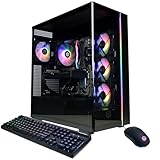
MSI Codex Z2
MSI Codex Z2
A8NVM671
Runs 90% of new games on recommendedPopular RTX 5060 Ti GPU2026 model16 GB RAMAMD CPU
$1,599.00
MSI Codex Z2
MSI Codex Z2
CodZ2B8NVL694
Runs 80% of new games on recommendedPopular RTX 5060 GPU2026 model16 GB RAMAMD CPU
$1,349.00
MSI Codex Z2
MSI Codex Z2
CodZ2A8NVP436
Runs 80% of new games on recommended RTX 5070 GPU2025 model32 GB RAMAMD CPU
$2,098.58
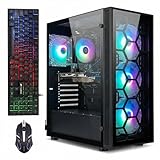
STGAubron ABR1722
STGAubron ABR1722
Runs 70% of new games on recommended RTX 2060 SUPER GPU2026 model16 GB RAMAMD CPUBudget choice
$779.99
STGAubron ABR0923
STGAubron ABR0923
Runs 80% of new games on recommended RTX 3060 12GB GPU2026 model32 GB RAMi7 CPUBudget choice
$919.98
CyberpowerPC GMA2900A2
Runs 90% of new games on recommendedPopular RTX 5060 Ti 8GB GPU2025 model16 GB RAMAMD CPU
$1,880.00
$1,795.00
CyberpowerPC GMA2900A3
Runs 90% of new games on recommended RTX 5060 Ti 8GB GPU2026 model16 GB RAMAMD CPU
$1,489.00
SkyTech ST-AZURE3-1959-B-AM
Runs 90% of new games on recommendedPopular RTX 5080 GPU2025 model32 GB RAMAMD CPU
$3,499.99
CyberpowerPC GXiVR8060A40
Runs 80% of new games on recommended RTX 5060 GPU2025 model16 GB RAMi5 CPU
$1,349.99
$1,239.99
SkyTech ST-AZURE3-2951-B-AM
Runs 90% of new games on recommendedPopular RX 9070 XT GPU2026 model32 GB RAMAMD CPU
$2,899.99
STGAubron ABR0422
STGAubron ABR0422
Runs 70% of new games on recommended RTX 2060 SUPER GPU2026 model32 GB RAMi7 CPUBudget choice
$699.99
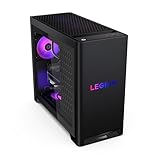
Lenovo Legion
Lenovo Legion
90YJ00A7US
Runs 80% of new games on recommended RTX 5070 GPU2026 model32 GB RAMAMD CPU
$2,420.65
Use the gaming PC Finder

Budget Windows PCs for Mushroom Simulator Co-op

These cheaper options meet the minimum system requirements stated by the developer. You may need to lower the graphics settings or the in-game resolution to run the game smoothly.

STGAubron ABR1722
STGAubron ABR1722
Runs 80% of new games on minimumPopular RTX 3050 GPU2026 model16 GB RAMAMD CPU
$689.99
STGAubron ABR0122
STGAubron ABR0122
Runs 80% of new games on minimum GTX 1660 SUPER GPU2026 model16 GB RAMi7 CPUBudget choice
$579.99
STGAubron ABR1324
STGAubron ABR1324
Runs 50% of new games on recommended RTX 2060 GPU2026 model16 GB RAMi5 CPUBudget choice
$689.99
$655.49
Use the gaming PC Finder
Mushroom Simulator Co-op technical specifications for computerMushroom Simulator Co-op on Steam
Updated on October 3, 2026.
These recommendations are based on technical details and requirements. We can't guarantee that the game will run on every computer.